a fake mi tv stick.
2026-08-04
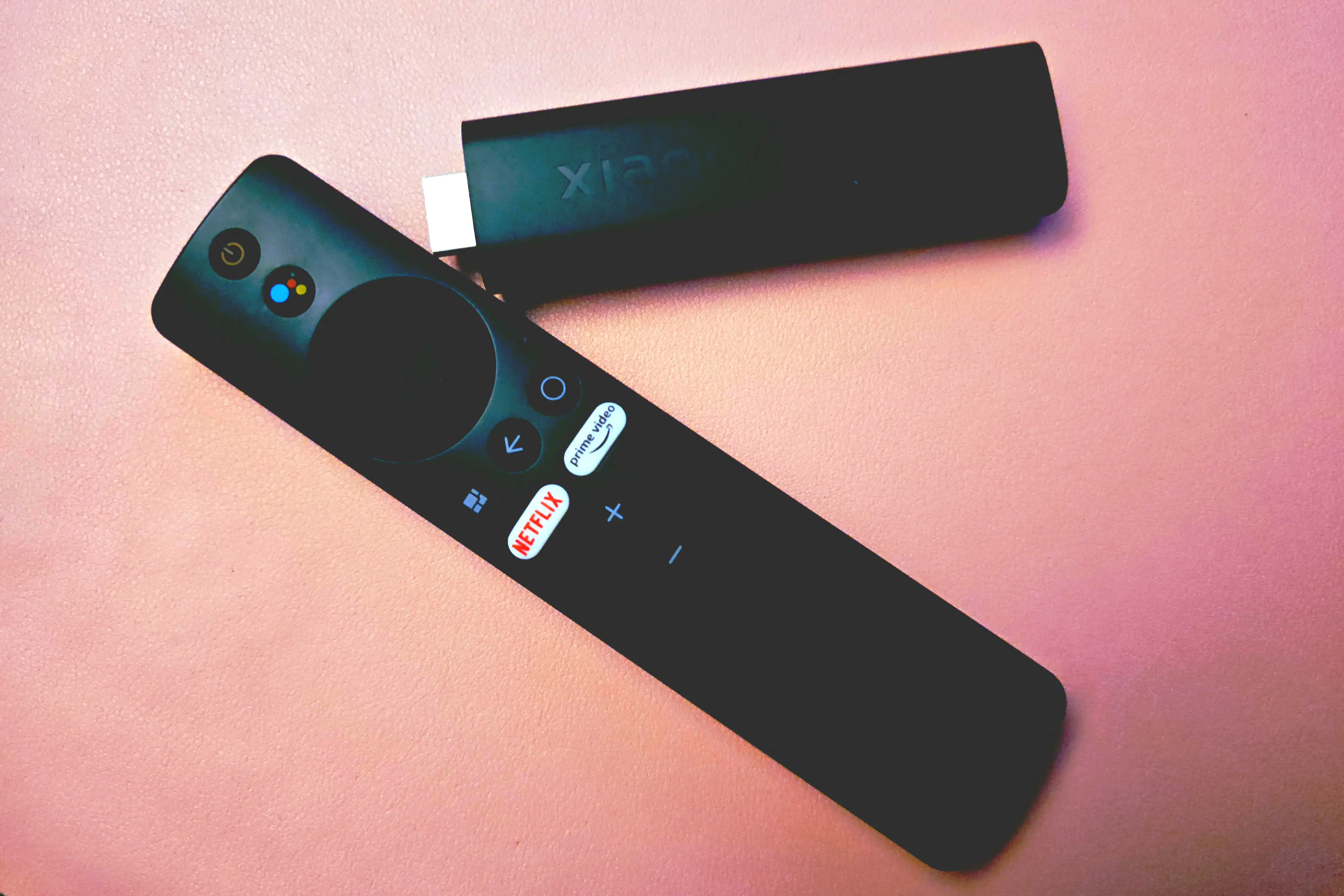 holy hell that cover looks uglyyy.
so..
a while back I was searching for a way to watch content from my Jellyfin on my TV.
Unfortunately, every attempt to load the website ended up in what, maybe a frame or two being rendered? Lame!!!
I also tried to fiddle with running Kodi, Plasma + Jellyfin, and other setups on my server and plugging it into the TV.
But the Kodi remote just straight up gave up on me, and KDE Connect's remote mouse was laggy for some reason?
So I went on a hunt; I found a 4K Mi TV Stick on Vinted for like 100-ish PLN, and I thought, okay, well that's like twice or even almost thrice lower than a brand-new one.
A few days later, I got it, plugged it in for a minute just to test if it worked, and continued doing what I was doing.
is this thing real?
Having some free time later, I plugged it into my TV and was greeted with the home screen for some reason. Did the seller forget to log out and reset?
I erased it and went through with the setup, logging into my Google account.
Then obviously I got curious about the settings, developer options, etc. So I just happened to pass by and thoroughly inspect every single bell and whistle in there.
Turns out, the "Mi" Stick was running Android 12 and something called "Bigdroid", which is so obviously not right.
After looking around the internet, some people were saying that those devices were nothing more than cheap fakes.
And also, this manufacturer decided to block apps like AIDA64 - a popular tool for checking specs of your device. I downloaded that from the Google Play Store, and yeah, I think I either couldn't install it, or it just crashed on startup.
More so, the developer options lacked an option to enable wireless debugging through ADB.
And the cherry on top, the package installer didn't work!!!
fiddling around with some stupid apps
Oh yeah, I downloaded an app called "Send files to TV" and tried to install anything outside the Play Store, but like, it wouldn't let me. The package installed just never came up.
The "Developer Tools" app gave me all the specs inside!
- The manufacturer field says "Google"
- The model is "MiTV-AYFR0"
- Brand - Allwinner
- Device codename - "athena_p1"
- It's running Android 12 on the February 2022 security patch with a userdebug build.
- It was built in September 2024.
Continuing with the SoC:
- It's called "Allwinner IK318"
- Android report's
armeabi-v7aas the supported ABI, even thoughunametells me the CPU isARMv8l(64-bit). - Four Cortex-A53 ~1.5GHz cores
- 2 GB of RAM
- Mali-G31 GPU
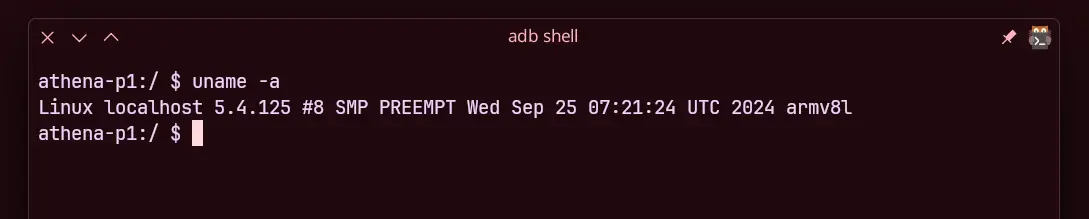
Nothing spectacular, of course, but it does support 4K. It's a shame that it's only up to 24-30 Hz, because selecting anything higher will cause the screen to flicker… or that's my TV, idk.
I then went on with installing termux and…
hey, so, that shouldn't be here!
Turns out, someone has left the su binary inside /system/bin/su.
I was able to start the adbd daemon from the root account with
setprop service.adb.tcp.port 5555
start adbd
And then it was as simple as just typing adb connect 192.168.8.207:5555.
Unfortunately, there is a severe lack of useful things in the binaries folder. Notably any kind of a text editor.
I had to find and push a static busybox binary compiled for arm64 into /data/local/tmp.
And yay, we have vi!
Well, actually, we have /data/local/tmp/busybox_64 vi because I was too lazy to link it or add it to PATH.
spying on the spies
I can only assume that there is lots of suspicious network traffic going through that micro-beast.
I really wanted to test if I could modify the rootfs, mainly the /etc/hosts file. To filter it out using hosts mayhaps?
I re-mounted / as read-write by using mount -o remount,rw /, and then proceeded to use vi to modify it.
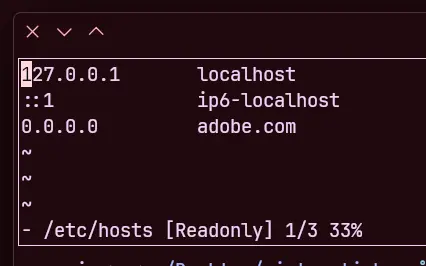
That could have ended up badly, because I didn't know if the bootloader wouldn't freak out about it. But it seems like it just doesn't care!
Okay, time for the test. I ran a tcpdump for 5 minutes and opened the captured traffic in Wireshark.
There were around a thousand entries, but most of these was the ADB shell keeping alive or something like that?
Filtering out all the unnecessary bloat like my own PC, we can see that
- It's calling the IP address
142.251.9.188and142.251.9.116, which apparently belongs to Google; nothing THAT bad here. - It also connects to
128.251.253.155, which appears to be Xiaomi's service? That's really interesting?
It seems like it doesn't really connect to any suspicious services, at least now. Though I still REALLY want to liberate this device.
DEMOCRACY RAHH
I want to take as much control of it as I can without risking bricking anything. I want to…
- Set up Termux:Boot so that it will start
adbdon the port5555. - Isolating the network traffic.
- Debloat the device of the shady apps.
- Install Projectivity Launcher.
Let's actually start with the last one. I downloaded "Projectivity Launcher" from their GitHub and installed it using ADB. Well, that was quick.
Alright, let's debloat this thingy.
Removing bloat on Android devices comes rather easily, provided that you have access to ADB.
Okay, let's start looking at all the packages that we have.
adb shell pm list packages -f > packages.pre will dump all of them into a file.
Only 149 entries, not that much!
Let's start with sorting them all.
cat packages.pre | grep [package] > packages.pre.[package] will do the job quickly, for example: cat packages.pre | grep com.android > packages.pre.android.
Packages containing com.android, com.google, com.softwinner, and com.xiaomi sum up to 124 packages; that means I can remove anything else, and we have 5 files, all neatly sorted to review.
I looked through the "com.android" and "com.google" packages, nothing that I'd really care about. I just uninstalled Google Play, YouTube, and a bunch of other bs.
I also yeeted out all the packages from "com.softwinner", didn't break anything, me thinks.
And for the last batch, there are ~20-25 packages; let's look at those… that I didn't install. Oh yeah, that leaves only 14.
com.oranth.accessibility- research tells me this is straight-up spyware, yay!com.abc.ninja- okay, who named that.com.fb- is probably something that wants to present itself as Facebook, bye.com.mitv.tvhome.atv- okay, well, this looks like it's the launcher? hmmcom.mi.bluetooth- not the official Bluetooth stack, but I imagine it might not be as fake?com.mitv.videoplayer- probably a video player.com.koushikduytta.superuser- oh wow that's interesting, a superuser app!! It doesn't, unfortunately, show anything after launching its MainActivity.com.xiaomo.tv.milegal- HMMMMMcom.netflix.mediaclientandcom.netflix.ninjaseem to be Netflix's services; I don't use it, as it's built into my TV.com.mitv.tvhome.mitvplus- seems to be an app called "Xiaomi TV+".com.miui.tv.analytics- telemetry eww.com.opengapps.atvoverlay- OpenGApps??com.mitv.tvhome.michannel- was an app called "PatchWall" Removed all except for the Superuser and "atvoverlay".
isolating the network traffic
I installed squid on my local server, unblocked the port 3128/tcp, and modified the proxy settings a little bit.
Let's make it allow Jellyfin on port 8096 and all my local thingies.
(/etc/squid/squid.conf)
http_port 3128

acl local_src src 192.168.8.0/24
acl local_dst dst 192.168.8.0/24

acl SSL_ports port 443
acl Safe_ports port 8096

acl CONNECT method CONNECT

http_access deny !Safe_ports

http_access allow local_src local_dst

http_access deny all

access_log /var/log/squid/access.log squid
It's my first time using squid, so I don't really know a lot about it, but I think that should be enough?
I enabled the proxy inside the TV Stick settings, and it's looking like it works, I think?
Aurora Store couldn't load anything, so it seems like it's working.
Let's also set up iptables so that traffic will only be allowed through localhost, my PC, and my server.
Well now that I think about it, I could probably skip the HTTP proxy… oop.. These are the rules:
#!/data/data/com.termux/files/usr/bin/sh
su -c "iptables -F
iptables -X <-- is that needed with iptabels -F ?

iptables -P INPUT DROP
iptables -P OUTPUT DROP
iptables -P FORWARD DROP
iptables -A INPUT -i lo -j ACCEPT
iptables -A OUTPUT -o lo -j ACCEPT

#iptables -A INPUT -m state --state ESTABLISHED,RELATED -j ACCEPT
#iptables -A OUTPUT -m state --state ESTABLISHED,RELATED -j ACCEPT

iptables -A INPUT  -s 192.168.8.10 -d 192.168.8.24 -j ACCEPT
iptables -A OUTPUT -s 192.168.8.24 -d 192.168.8.10 -j ACCEPT

iptables -A INPUT  -s 192.168.8.24 -d 192.168.8.10 -j ACCEPT
iptables -A OUTPUT -s 192.168.8.10 -d 192.168.8.24 -j ACCEPT

iptables -A INPUT  -s 192.168.8.10 -j ACCEPT
iptables -A INPUT  -s 192.168.8.24 -j ACCEPT
iptables -A OUTPUT -d 192.168.8.10 -j ACCEPT
iptables -A OUTPUT -d 192.168.8.24 -j ACCEPT
"
I've also put them up in a script for Termux:Boot.
… which doesn't work for some reason …
Actually, I think I have a better idea. Let's call all of the scripts from the little script with a short name so that I can quickly start it from Termux.
#!/data/data/com.termux/files/usr/bin/sh
echo Setting up iptables
$HOME/.termux/boot/block_iptables
echo Starting adbd
$HOME/.termux/boot/start-adbd
echo Starting sshd
$HOME/.termux/boot/start-sshd
echo done.
After a quick reboot, I can confirm that it's setting everything up correctly!
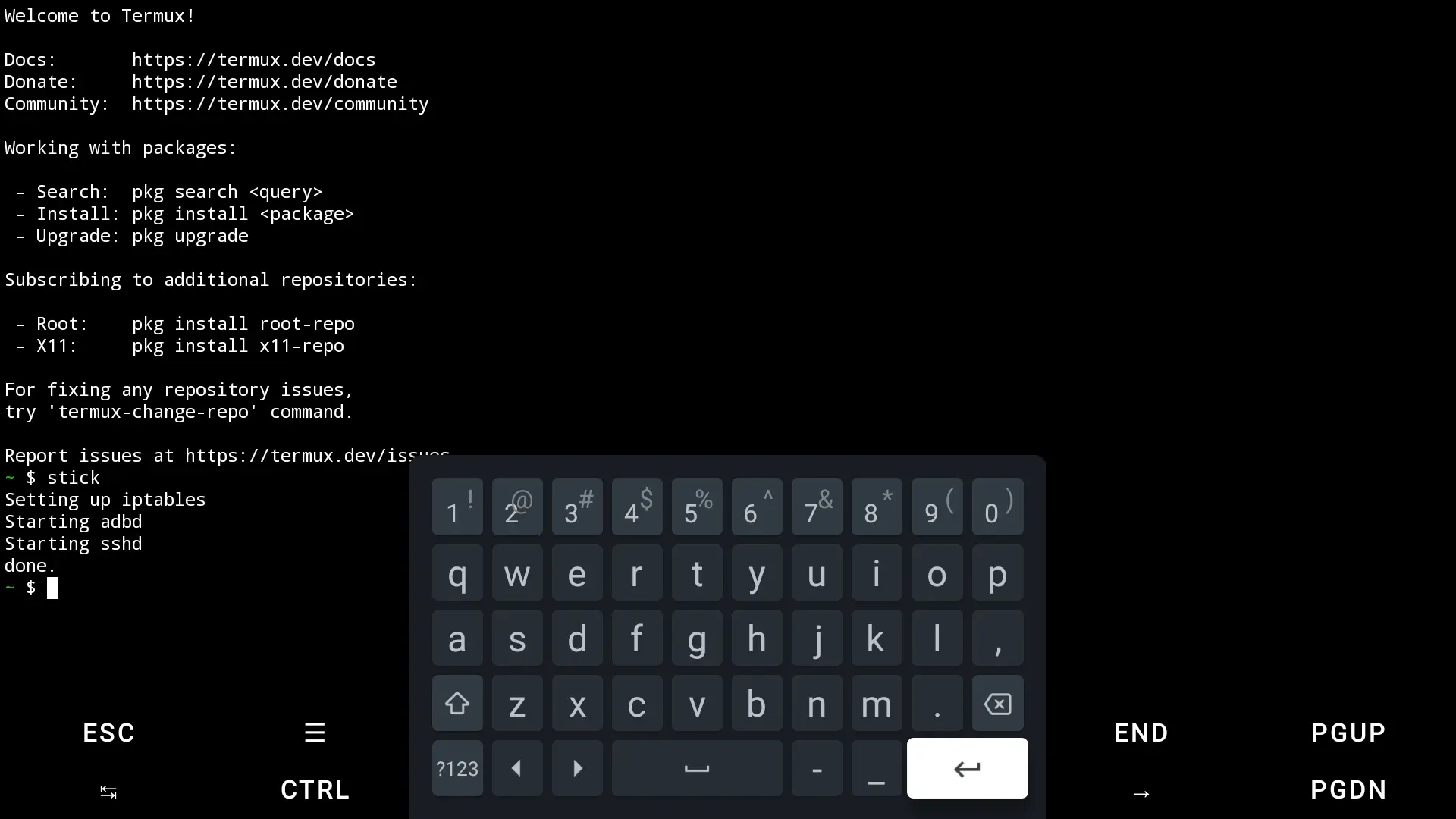
finally free.
Here's the homescreen!
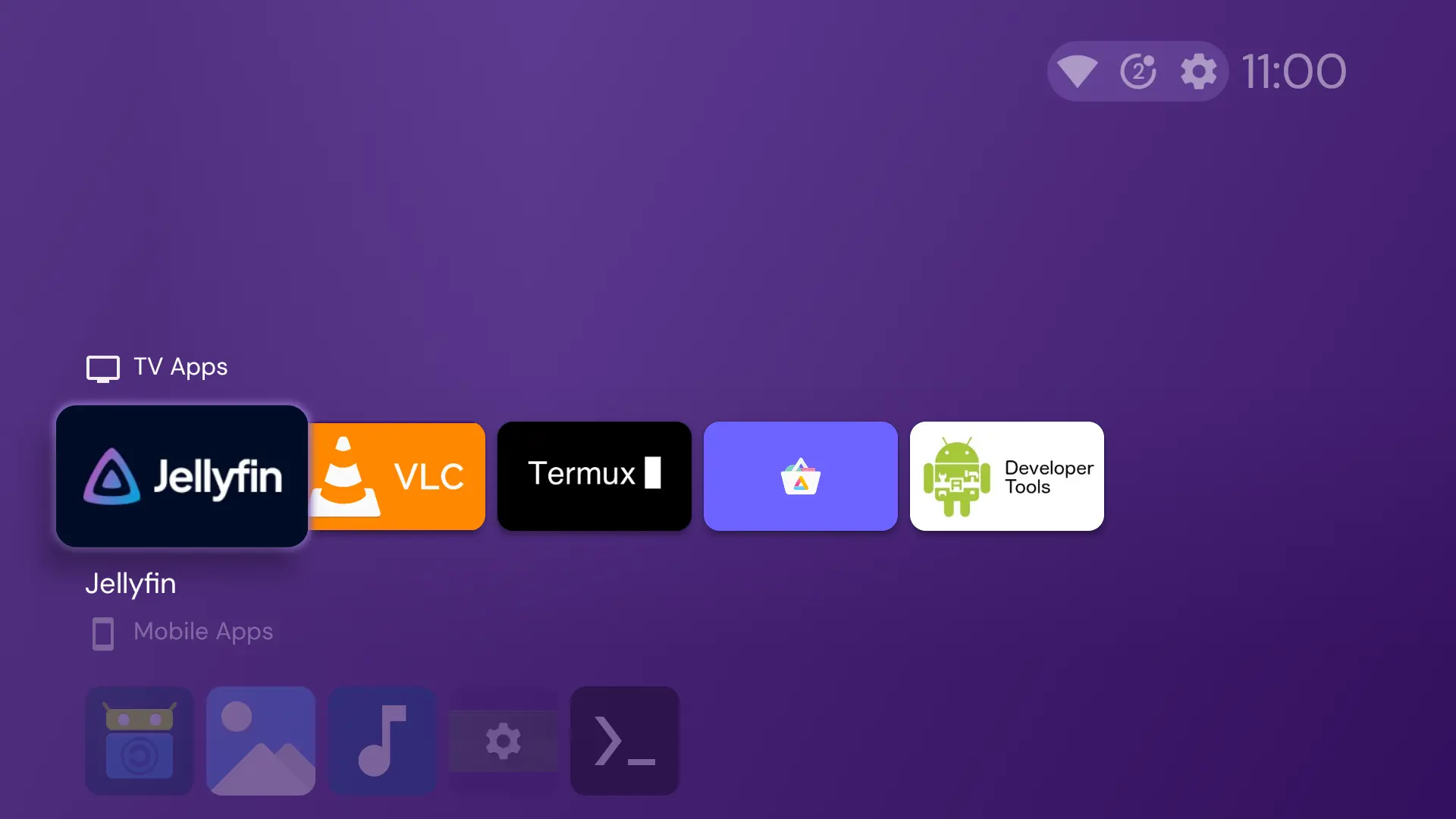
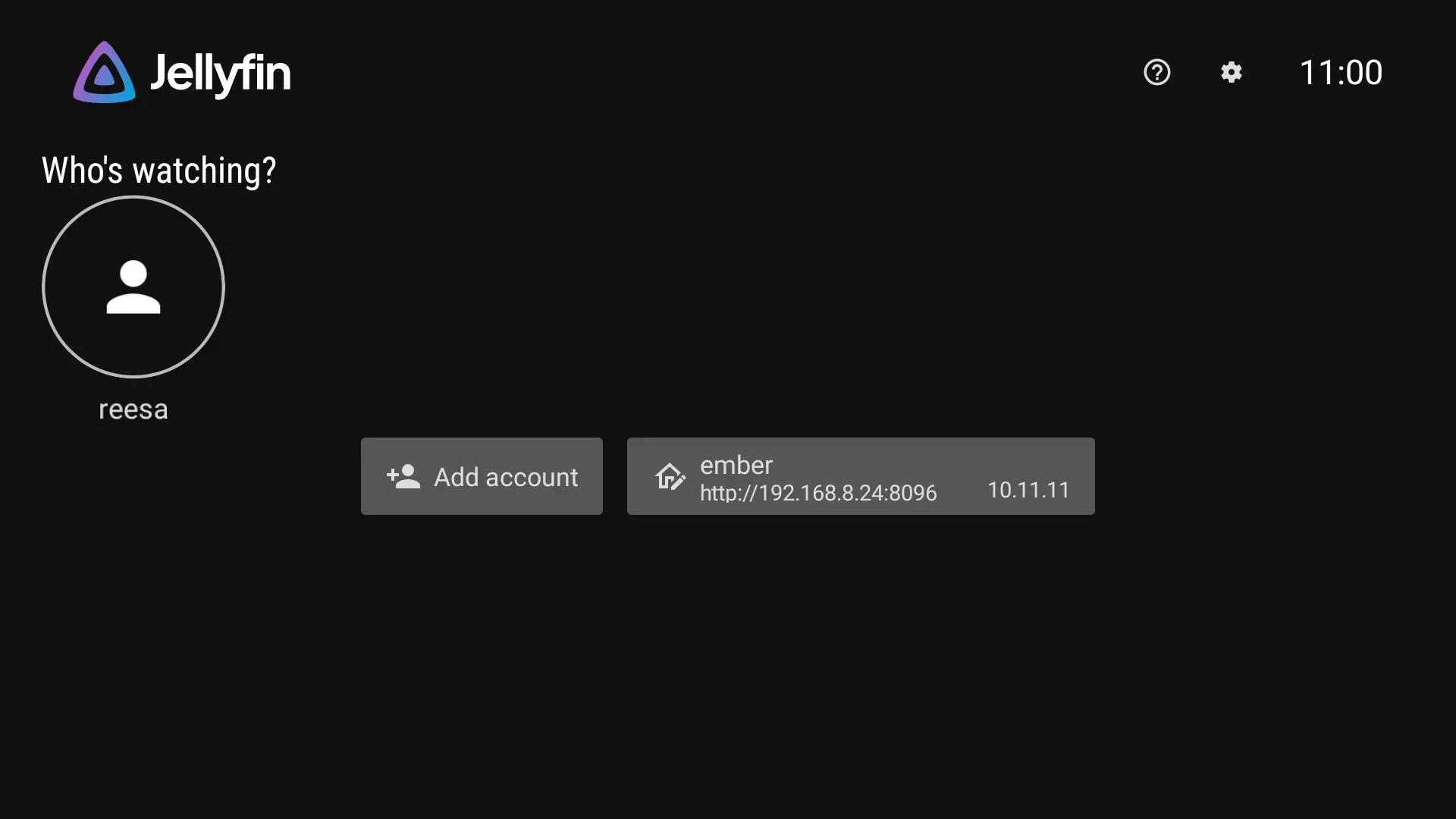
And I spun up my Jellyfin container; it works great too! Though it's realllly putting a strain on my server for sum reason hmm.
Thank you for reading my first entryyy!